2026 Top Digital Printer Types for Global Buyers
Choosing a Digital Printer in 2026 means matching the press to the work—not chasing the newest machine. A label converter may need variable data and quick changeovers. A sign shop may care more about wide-format color, media handling, and outdoor durability. Different jobs demand different systems.
Smithers’ report, The Future of Digital Printing to 2032, estimates the market will grow from $167.5 billion in 2022 to $251.1 billion by 2032. This is a forecast, not a guarantee. Still, it signals why global buyers are comparing inkjet, toner-based, UV, and wide-format presses more closely. Each technology brings trade-offs in speed, substrate range, image quality, and operating cost. A sample print can reveal more than a polished brochure.
Printing analyst Frank Romano, professor emeritus at Rochester Institute of Technology, has emphasized that digital presses complement established print methods rather than replacing every process. That distinction matters. The best choice depends on run length, service access, consumables, and the operator’s daily workload. A low purchase price can look less attractive after frequent maintenance or costly ink use. And specifications do not tell the whole story. This guide compares the leading Digital Printer types for global buyers, with practical attention to applications, strengths, and limitations. One caution: market forecasts and supplier claims deserve verification against your own samples, costs, and production targets.
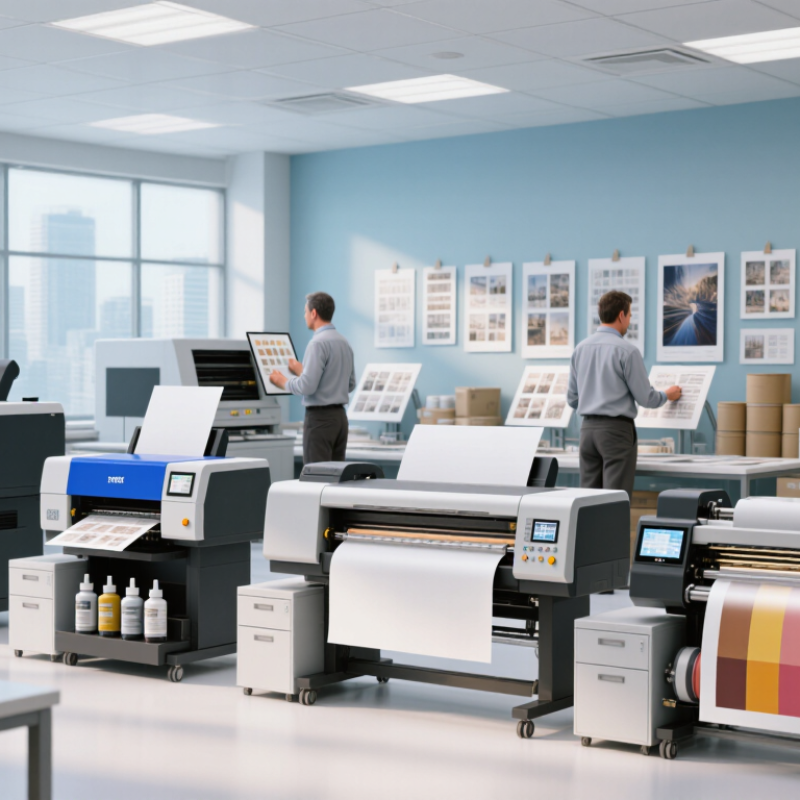
Understanding Digital Printers and Their Core Technologies
Digital printers create images directly from digital files, without making traditional plates. That shortens setup time and makes small runs practical. The machine still matters. Its print engine, ink or toner, and media path shape the final result.
Inkjet printers place tiny droplets of liquid ink onto paper, film, or other compatible materials. They suit photographs, signs, labels, and many flexible production jobs. Drop size, ink chemistry, and drying method affect sharpness and durability. A close-up test can reveal banding or slow drying that a specification sheet may not show.
Electrophotographic printers use an electrostatic charge to transfer toner onto a surface, then fuse it with heat and pressure. They often handle crisp text and steady document volumes well. Thermal systems use heat to form images on specially coated media or transfer material. Each technology has trade-offs. None is best for every job.
For global buyers, compare the printer with the actual workflow: expected volume, media width, color needs, and finishing equipment. Ask for samples on the material you plan to use. Check maintenance requirements and consumable availability in your market, too. Specifications help, but they can leave out awkward details. I have seen buyers focus on speed and overlook drying time, which can disrupt an otherwise efficient production line.
Major Digital Printer Types Available to Global Buyers
Digital printers serve different materials, volumes, and finishing needs. Inkjet printers place tiny droplets of ink onto paper, film, fabric, or rigid boards. Wide-format models suit posters, signage, and display graphics, while aqueous systems often produce detailed images on coated paper. UV-curable inkjet printers can print on varied surfaces, but curing equipment and ventilation requirements affect installation.
Toner-based printers use heat to bond powdered toner to paper. They are common for office documents, brochures, and short-run marketing materials, with consistent text and quick production. Dye-sublimation printers transfer dye using heat, making them useful for polyester fabrics and coated items such as panels. Direct-to-garment systems print onto clothing, though fabric preparation and garment color can change the final result.
Check the actual workflow. Ask suppliers for samples on your own materials, not just glossy demonstration sheets. Compare print speed at the quality setting you will use, plus ink or toner costs, maintenance, and local service access. A UV flatbed may handle rigid boards, yet its footprint and loading process can slow small teams. Categories overlap, and specifications can hide trade-offs. I would verify color consistency across repeated jobs; even a suitable printer can disappoint without careful calibration.
How Each Digital Printer Type Works and What It Produces
Digital printers create images directly from digital files, but each type transfers color differently. Inkjet machines spray tiny droplets onto paper, film, or fabric. The result can show smooth gradients and fine photographic detail. Some models use water-based inks; others use pigment inks that resist fading better. Substrate matters.
Laser printers use static charge and heat to fuse toner onto paper. They often produce crisp text and consistent office documents at speed. UV printers cure ink with ultraviolet light, allowing direct printing on rigid items such as acrylic panels, packaging, or signs. The surface must still suit the ink and curing process.
Dye-sublimation printers heat dye into coated paper or polyester fabric, creating continuous color in photo panels and soft goods. Direct-to-garment systems apply ink onto clothing, where fabric preparation affects the final image. Small test prints can reveal issues before a full run.
That helps. Still, one sample cannot predict every production condition. Humidity, material coatings, and maintenance all influence results. Buyers should compare the intended material, image detail, run size, and finishing needs, rather than relying on printer category alone. The distinction sounds neat, but real workflows often overlap.
Comparing Printer Types by Materials, Speed, and Print Quality
Choosing a digital printer starts with the material, not the headline speed. Aqueous inkjet suits paper and photographic work, while UV inkjet prints directly onto rigid boards, plastics, and other coated surfaces. Toner presses handle short-run documents and labels with crisp text; dye-sublimation systems transfer color onto polyester textiles. Each process has limits. Smithers’ The Future of Digital Printing to 2032 estimates global digital print value at $167.5 billion in 2022 and forecasts $251.1 billion by 2032. That growth spans very different applications, so market size alone cannot identify the right machine.
Compare speeds using the same substrate, image coverage, and quality setting. A fast draft mode may not match the detail needed for fine text or smooth skin tones. UV systems can reduce handling time on rigid goods, but curing, loading, and finishing still affect output. Textile printers may run quickly on long fabric rolls, yet color consistency and drying add practical constraints. Speed is conditional. Ask suppliers for a timed sample run on your actual material, then inspect edges, color transitions, and adhesion. A showroom sample can mislead. Also track setup waste and maintenance time; buyers often overlook both. Smithers’ figures describe market value, not individual machine performance, so verify specifications through documented production tests.
Choosing a Digital Printer for Different Markets and Applications
Choosing a digital printer starts with the job, not the machine category. Smithers’ The Future of Digital Printing to 2027 estimated that global digital print value would rise from $136.7 billion in 2020 to $230.5 billion in 2027. That growth spans very different needs: short-run packaging, personalized labels, photo products, and on-demand books. One printer rarely serves them all well. Fit matters more.
Inkjet systems suit variable data and many large-format or packaging workflows, especially when wide media choice matters. Toner presses can be practical for short-run commercial work, such as menus and brochures, where quick changeovers reduce waste. For textiles, buyers should test fabric compatibility, color consistency, and wash durability. UV-curable systems can print on rigid substrates, but curing, ventilation, and operator training affect the real cost. Small details matter.
Before buying, compare usable speed, not just advertised speed. Ask for samples on your own stock, including fine text, solid colors, and a full-bleed image. Track setup waste and maintenance over a realistic shift. Smithers’ market forecast signals opportunity, not guaranteed profit. I would still challenge a specification that looks perfect on paper; the actual substrate, humidity, and workload can expose weak points. A modest pilot often reveals more than another sales presentation.