What Are Smart Double-Sided Screens?

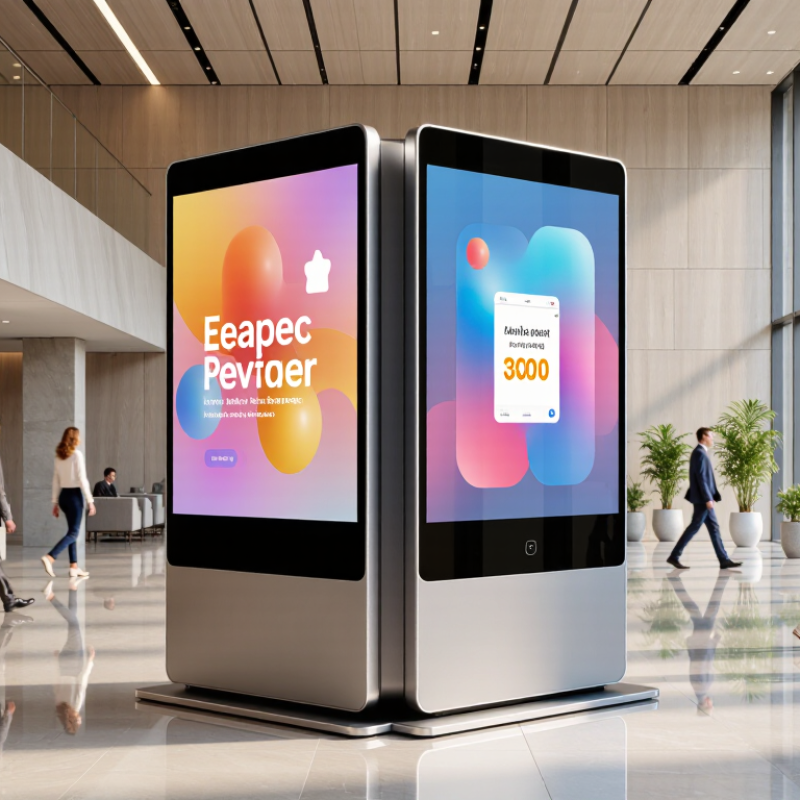
Smart Double-Sided Screens are digital displays designed to show content on two opposing sides. They can help a message reach people approaching from different directions, such as shoppers walking past a freestanding screen or visitors crossing a lobby. The idea is simple. The installation is not.

Technology and product-design leader Steve Jobs said, “Design is not just what it looks like and feels like. Design is how it works.” That principle matters here. Each side needs readable text, suitable brightness, and content matched to its audience. A bright panel facing a window may look washed out at noon. A screen placed near a queue may need slower, clearer messages. Good planning starts with the actual space, not a product brochure.

The label can mislead. Two-sided does not always mean two independent displays, and features vary by model. Some systems support separate content on each face; others may mirror the same material. Check viewing angles, heat management, connectivity, and how staff will update the content. Small details count.

Not every location needs two sides. A poorly placed unit can distract more than it informs. That deserves a second look. This guide explains how Smart Double-Sided Screens work, where they fit, and what buyers should verify before choosing one.
What Are Smart Double-Sided Screens?

What Defines a Smart Double-Sided Screen?

What Are Smart Double-Sided Screens?

What Defines a Smart Double-Sided Screen?

A smart double-sided screen presents digital content on two outward-facing surfaces, often within one cabinet or mounting structure. “Smart” describes the system behind the panels, not simply the fact that both sides light up. A controller can schedule different playlists for each face, adjust brightness, and report operating status over a network. Some systems also support touch input or sensors, but those features are not universal. Details matter.

In practice, a shop might show a close-up product image toward the street and pricing near the checkout area. A transit display could show arrival times on one side and local notices on the other. The software should let staff update both sides remotely, check whether a panel is offline, and set schedules without visiting the installation. Viewing angles and balanced brightness matter too; one bright side can make the other look dim by comparison. Not every installation needs analytics or interaction. Sometimes simpler is better.

A useful definition includes two visible display faces, coordinated controls, and practical network-based management. It should also recognize limits: sunlight, heat, viewing distance, and mounting position affect performance. Real spaces are messier. A “smart” label alone proves little, so buyers should verify which controls and monitoring functions are actually included.

How Its Two Display Surfaces Work

A smart double-sided screen has a display surface on each side, so people approaching from opposite directions can see information without walking around the unit. In many designs, the two panels operate independently, even when they share a housing, power supply, and control system. One side might show a store entrance message, while the other presents directions to people inside.

The control system sends images or video to each surface and keeps playback in sync when needed. It can also schedule different content for each side. For example, a café could show a menu outdoors and collection instructions indoors. Some systems allow remote updates, but the exact controls depend on the display hardware and software. The screens do not always need to match.

The physical design matters, too. Separate panels can face different lighting conditions, so brightness and viewing angle affect readability. A screen facing a sunny window may need stronger output than one in a shaded hallway. That can mean more heat and power use. Small details count. Reflections on glass can still make text hard to read, even with a bright panel. It is easy to focus on the two surfaces and overlook their shared limits. Regular testing from both sides helps reveal awkward glare, cropped text, or content that changes at the wrong moment.

Core Technologies and Smart Features

Smart double-sided screens present content on two outward-facing surfaces, often using separate display panels or a shared structure with independently controlled sides. Their core technology includes display drivers, processors, wireless networking, and sensors that help coordinate what each screen shows. Depending on the design, one side might display a menu while the other presents directions or promotional information. The screens may not always match perfectly.

Brightness sensors can adjust output as room lighting changes, helping text remain readable near a sunny window or in a dim hallway. Some systems also monitor temperature and reduce brightness to limit heat during long operating hours. Touch input, remote content updates, and scheduling tools may be available, but these features vary by model. Check the specifications. A “smart” label does not guarantee every function is built in.

In practical use, setup matters as much as the panel. Mounting angle, glare, network stability, and viewing distance can affect both sides differently. For example, a display facing a glass entrance may need lower reflections, while the opposite side needs stronger brightness. Remote management can save staff time, though a delayed connection may leave outdated content on screen. Test both faces in their actual positions before installation; small differences in color or brightness can be noticeable.

Common Applications in Retail and Public Spaces

Smart double-sided screens show digital content on both faces of one display unit. In retail, they work well in shop windows, mall corridors, and freestanding aisles. A shopper outside can see a promotion, while people inside view product details or a store map. Content may be scheduled by time, location, or campaign, though capabilities vary by system. Keep it readable. Large prices, short offers, and clear product images are easier to absorb than dense copy. Window-facing screens also need enough brightness to compete with daylight without washing out colors.

In public spaces, these screens can help in transit halls, libraries, clinics, and event venues. One side might show directions; the reverse can display service updates or local notices. Their value is practical: fewer separate sign stands and more timely information. Yet placement matters. Avoid blocking walkways, entrances, or sightlines, and test the content from both approach directions. Reflections, crowd height, and viewing distance can change what people actually see. Do not assume automation solves everything. Staff still need to check schedules, correct outdated details, and ensure essential text remains legible. A screen cannot replace clear wayfinding.

Benefits, Limitations, and Key Selection Factors

Smart double-sided screens can show different content on each face, helping one installation serve people approaching from opposite directions. That can reduce clutter in transit halls, shop windows, and indoor corridors. MarketsandMarkets estimated the global digital-signage market at US$26.2 billion in 2024, projecting US$35.9 billion by 2029. This industry-wide forecast signals investment in digital displays; it does not prove that every two-sided screen will pay off. The practical benefit depends on sightlines. A screen hidden behind a pillar serves nobody.

There’s a catch. Two active displays may use more power and generate more heat than a single-sided unit. Bright windows can wash out images, while narrow corridors may offer little value from the second face. Check each side’s brightness, viewing angle, resolution, cooling, and service access. Ask for measured power consumption at typical brightness, not only maximum ratings. Also confirm whether content can be scheduled separately for each face. MarketsandMarkets’ forecast is useful context, not a selection rule. I would compare total ownership costs, including installation and maintenance, against expected foot traffic. A small oversight matters: glare changes through the day, so inspect the location at different hours before choosing.

What Are Smart Double-Sided Screens? — Benefits, Limitations, and Key Selection Factors

A double-sided display presents content on both sides, often using different brightness levels for indoor and window-facing viewing. The ranges below are indicative selection benchmarks, not universal specifications; actual requirements depend on ambient light, screen technology, and installation conditions.

Selection factors: Compare brightness in the intended lighting conditions, viewing angles on both sides, power and heat requirements, installation depth, content-control features, and service access. Higher brightness can improve visibility near windows but may increase power use and heat.

Your browser is out of date!

Update your browser to view this website correctly. Update my browser now

×