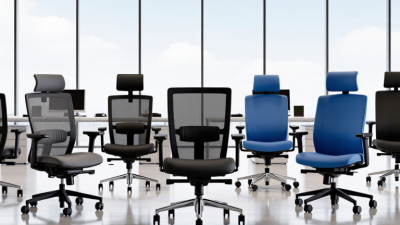
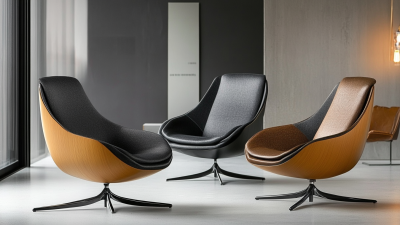
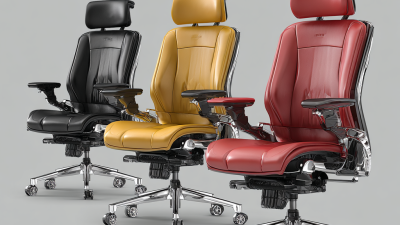
Choosing the right seating chairs can change how an office feels by midday. A chair that looks polished in a showroom may feel stiff after several hours at a desk. The best choice depends on the person, the workspace, and the tasks performed there. Small details matter.
This guide explores ten office chairs with practical needs in mind. We consider adjustability, lumbar support, seat cushioning, materials, mobility, and ease of maintenance. We also note where a chair may suit one setting better than another, such as a compact home office or a shared workplace. A breathable mesh back, a stable base, and armrests that fit beneath a desk can make a noticeable difference. Still, specifications do not guarantee comfort. People sit differently, and a feature praised by one user may bother someone else. That is worth remembering.
Use the list as a starting point, not a universal ranking. Check each chair’s dimensions, weight capacity, warranty, and return policy before buying. If possible, test the seat at your desk height. A few minutes can reveal an awkward edge. This overview aims to make the comparison clearer, while recognizing that no chair can solve every posture or workspace issue. The right fit is often less dramatic than expected. But it matters.
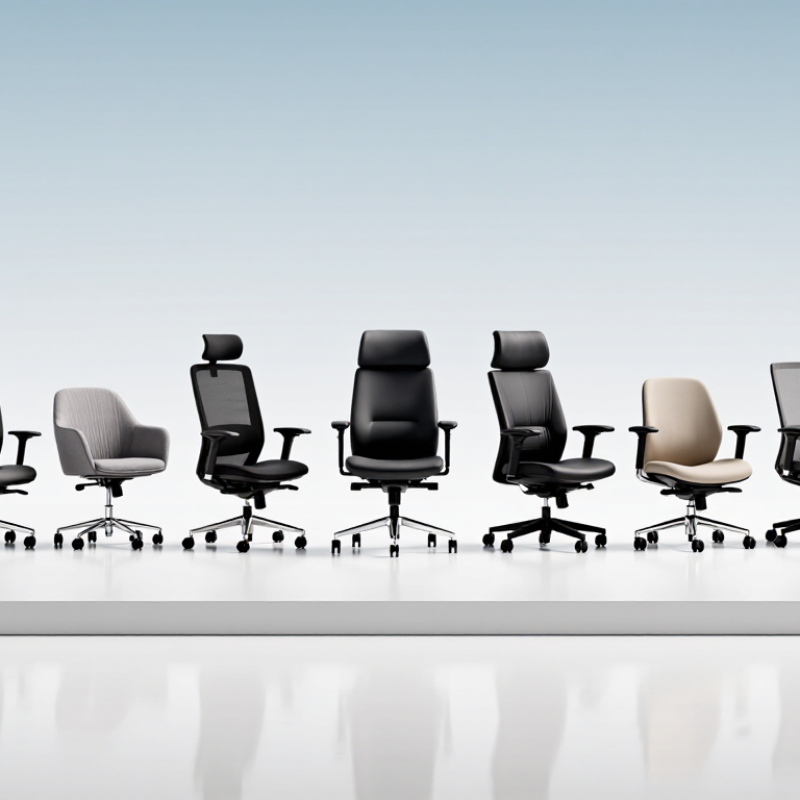
A suitable office seating chair should fit the person and the work, not just look comfortable in a showroom. Seat height should let both feet rest flat, with knees near hip level. Check this while seated at the actual desk; a chair that feels right elsewhere may sit too high beside a thick desktop. Fit matters. The seat should support the thighs without pressing behind the knees, and leave a little room to shift. Adjustable armrests can reduce shoulder tension, but only when they let the arms rest without forcing the shoulders upward.
A supportive backrest should meet the lower back and allow small changes in posture. Adjustable lumbar support is useful, though a pronounced curve will not suit everyone. Try leaning back and reaching for common desk items; the chair should feel steady, not restrictive. Look for smooth height and tilt controls that are easy to use while seated. Breathable fabric can help during long work sessions, while firm cushioning often holds its shape better than very soft padding. A stable base and quiet-rolling casters matter on everyday floors. No chair fixes everything. Even a well-fitted chair can feel wrong after hours without movement, so comfort also depends on taking regular standing and stretching breaks.
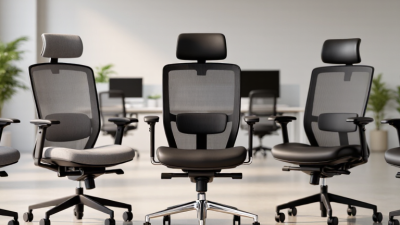
Office seating is easier to compare by task than by appearance. Task chairs support everyday desk work, often with adjustable seat height and backrests. Ergonomic chairs may add seat-depth, lumbar, and arm-height adjustments. Executive chairs usually have taller backs and wider cushions, but bulk does not guarantee better support. Small details matter.
Conference and visitor chairs prioritize easy movement and shorter meetings. Drafting chairs sit higher and often include a foot ring for elevated work surfaces. Stools and kneeling chairs encourage different postures, though they may not suit every user or every task. The labels can blur. ANSI/BIFMA X5.1 tests general-purpose chairs for factors such as strength and stability; it is not a comfort ranking.
The U.S. Bureau of Labor Statistics reported that musculoskeletal disorders accounted for 27% of private-industry cases involving days away from work in 2023. This figure spans many jobs and causes; it does not show that a chair alone prevents injury. For a practical fit check, sit with feet supported, shoulders relaxed, and elbows near desk height. Then adjust the chair, not your body around it.
Office seating should match the work, not just the room’s appearance. A task chair suits frequent desk work; an ergonomic mesh chair adds airflow for long shifts. A synchro-tilt chair lets the backrest and seat move together. An executive chair offers padding, though it may feel bulky at a shared desk. A drafting chair raises the seat for tall counters. Small details matter.
For meetings, a conference chair gives a more formal look, while a stackable guest chair saves floor space. A kneeling chair changes the sitting angle, but it is not comfortable for everyone. A saddle chair encourages an upright posture and can suit focused tasks. A height-adjustable stool allows quick movement between sitting and standing. A balance-style active chair permits subtle motion, though that movement can distract some users. The U.S. Bureau of Labor Statistics reported 2.6 million nonfatal workplace injuries and illnesses in private industry in its 2023 Employer-Reported Workplace Injuries and Illnesses report. That figure is not specific to seating, and a chair alone cannot prevent injury. Fit still matters: a seat that presses behind the knees or leaves feet dangling needs adjustment.
The ten best office seating choices differ less by appearance than by how they fit a workday. Ergonomic task chairs usually offer the widest adjustments, including seat height, lumbar depth, and tilt tension. Mesh-back models feel cooler, while upholstered chairs may feel softer but retain more heat. Comfort changes over time.
Executive chairs often have generous padding, yet deep seats can press behind shorter users’ knees. Compact chairs save space but may limit arm movement. Drafting chairs raise the seat for counters, while saddle and kneeling designs shift pressure across the hips and legs. These alternatives suit some tasks, not every body. A conference chair may look comfortable for a meeting and feel tiring after hours.
Support depends on fit, not a long feature list. The lower-back pad should meet the natural curve of the spine; the seat should leave a small gap behind the knees. Adjustable arms help shoulders relax, but fixed arms can obstruct close desk work. Try changing one setting at a time. Small differences matter. A soft cushion can feel pleasant at first, though that impression may not last through a full shift. Even careful comparisons miss personal habits, so a brief sit test is not enough.
Choosing an office chair starts with the person, not the product description. The U.S. Bureau of Labor Statistics reported 2.6 million nonfatal workplace injuries and illnesses in private industry in 2023. That figure does not prove a chair prevents injury, but it makes fit and daily comfort worth careful attention. Check whether seated feet rest flat, knees bend comfortably, and the backrest supports the lower back without forcing an awkward posture.
Adjustability matters. OSHA’s Computer Workstations guidance recommends a chair that lets workers adjust seat height and back support. Try the chair at an actual desk: armrests should not push shoulders upward, and the seat edge should not press into the backs of the knees. A breathable cover helps during long afternoons. Smooth casters are useful on hard floors, but can feel unstable on thick carpet. Small details matter.
Match the chair to the work pattern. Someone switching between typing and calls may value easy adjustments; a shared office needs controls that are simple to reset. Check weight capacity, warranty terms, and whether replacement parts are available. Test the lumbar curve for several minutes, not just a quick sit. Honestly, “ergonomic” on a label tells you very little. Personal comfort is imperfect evidence, but it is still evidence.
Update your browser to view this website correctly. Update my browser now